
Surveillance Camera1.5 - Get APK
You'll be able to download in few seconds.
Publisher Description


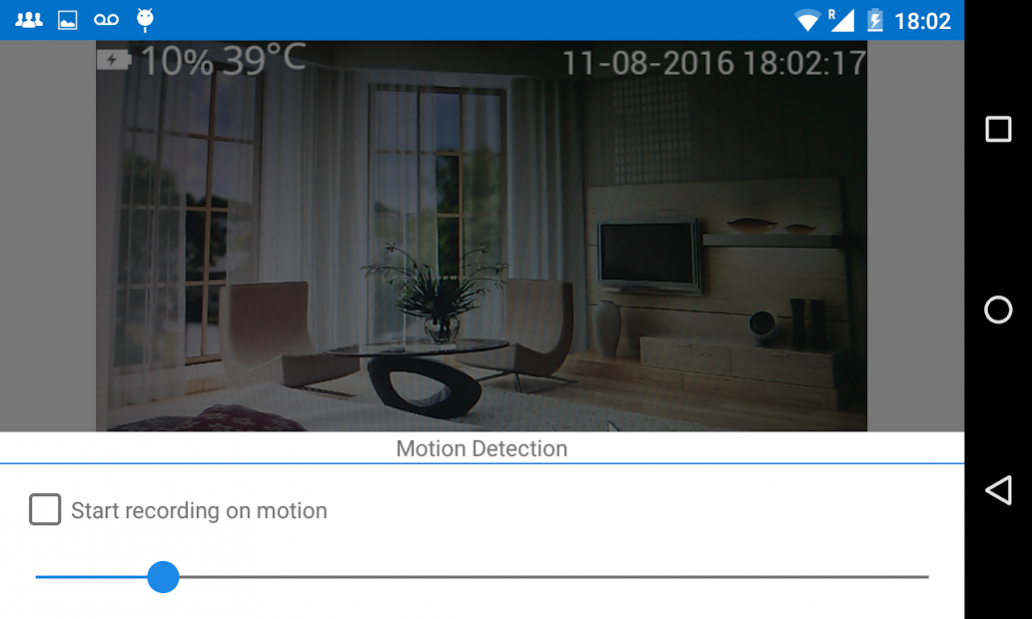
No need of any CCTV cameras anymore! Unlike CCTV cameras this application is able to work with the latest browsers and brings FULL HD quality.
It supports motion detection. You can regulate the amount of motion that will trigger a recording event.
Your smartphone will became an amazing Video surveillance system. The smartphone can broadcast the video signal to your computer or any other device that has a simple browser and an Internet connection.
Don't worry about the security of your home. You can now monitor it 24/7 with this amazing security home surveillance application. You will be able to set it up with just a few clicks.
- > The remote console provides the ability to control the LED flash light, camera focus, enable instant recording and also enable motion detection. It provides the ability to review the recordings in the browser. Simply write the IP address URL (ex: http://192.168.1.200:8080) that is provided (from the share button) of the Video Surveillance application.
- > The communication channels that are supported are Wi-Fi and 3G;
- > The video resolution, frames per second, can be selected from the settings menu.
- > The video application provides an unique feature to pre-record video before you have triggered a recording or a motion event has occurred.
- > The application doesn't require to have an Internet connection in order to work.
- > The amount of storage space that is using can be selected from the settings menu.
- > The front or back camera may be switched via the setting menu.
- > Enable/Disable audio recording.
- > The recorded audio is sampled at 48khz.
- > Review recordings.
- > Delete recordings.
- > Enable/Disable: keep screen on.
- > Enable/Disable: keep camera on when the screen is off.
- > If the Watchdog is enabled the application will be restarted when it is stopped. If the device is restarted the watchdog will automatically start the Surveillance Camera app.
The Video surveillance camera app may be used as a high quality video / audio baby monitor or babyphone.
The Video surveillance camera app may be used as a high quality pet monitor.
Features for the next release:
- > In the next update this application will target the Android Things OS. All the options will be available via the web interface. There will be a servo and relay control. The target will be to be able to build raspberry pi based ip camera.
- > A cloud will provide an easy and connect easy access to all your recording.
- > Autosave to Dropbox.
- > Autosave to GDrive.
- > Send an e-mail with an attached picture on event.
About Surveillance Camera
The company that develops Surveillance Camera is DroidKitchen.com. The latest version released by its developer is 1.5.
To install Surveillance Camera on your Android device, just click the green Continue To App button above to start the installation process. The app is listed on our website since 2016-12-14 and was downloaded 0 times. We have already checked if the download link is safe, however for your own protection we recommend that you scan the downloaded app with your antivirus. Your antivirus may detect the Surveillance Camera as malware as malware if the download link to com.droidkitchen.homesurveillance is broken.
How to install Surveillance Camera on your Android device:
- Click on the Continue To App button on our website. This will redirect you to Google Play.
- Once the Surveillance Camera is shown in the Google Play listing of your Android device, you can start its download and installation. Tap on the Install button located below the search bar and to the right of the app icon.
- A pop-up window with the permissions required by Surveillance Camera will be shown. Click on Accept to continue the process.
- Surveillance Camera will be downloaded onto your device, displaying a progress. Once the download completes, the installation will start and you'll get a notification after the installation is finished.
Program Details
System requirements
Download information
Pricing
Version History
version 1.5
posted on 2016-12-14
Watchdog option added. If the Watchdog is enabled the application will be restarted if it is stopped for some reason. If the device is restarted the watchdog will automatically start the application.
version 1.4
posted on 2016-08-18
Credits added.
Disclaimer
External Download
We do not host Surveillance Camera on our servers. We did not scan it for viruses, adware, spyware or other type of malware. This app is hosted by Galad and passed their terms and conditions to be listed there. We recommend caution when installing it.
The APK Download link for Surveillance Camera is provided to you by apps112.com without any warranties, representations or guarantees of any kind, so access it at your own risk.
If you have questions regarding this particular app contact the publisher directly. For questions about the functionalities of apps112.com contact us.
